Once you have bought something — a supplement, a prescription treatment, a lab panel — this is where you follow it.
Where to find your orders
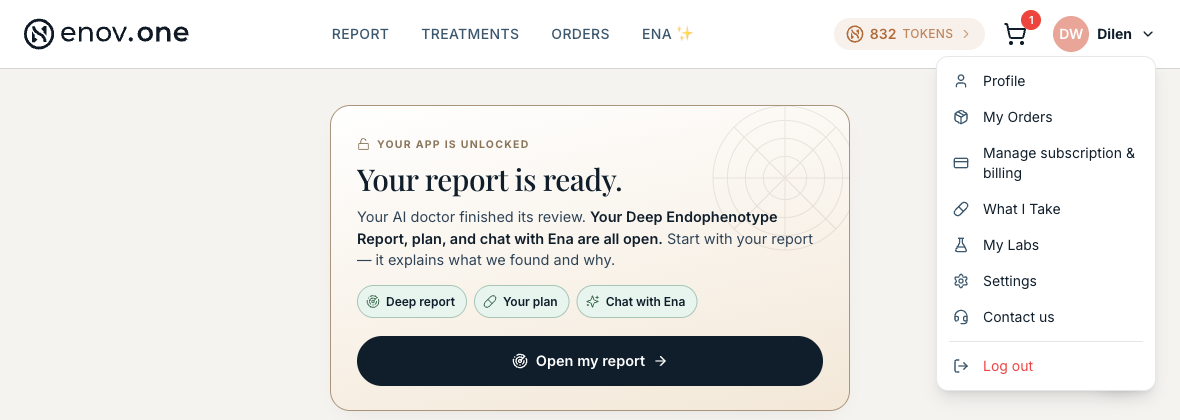
On a computer, tap Orders in the top navigation bar. On a phone, tap your initial/avatar in the top-right corner and choose “My Orders.” The page itself is headed My Treatments.
Each order is one card: what it is, where it has got to (for example “At the pharmacy”), its order number and whether it was one-time or a subscription, and a Track order link.

Following an order
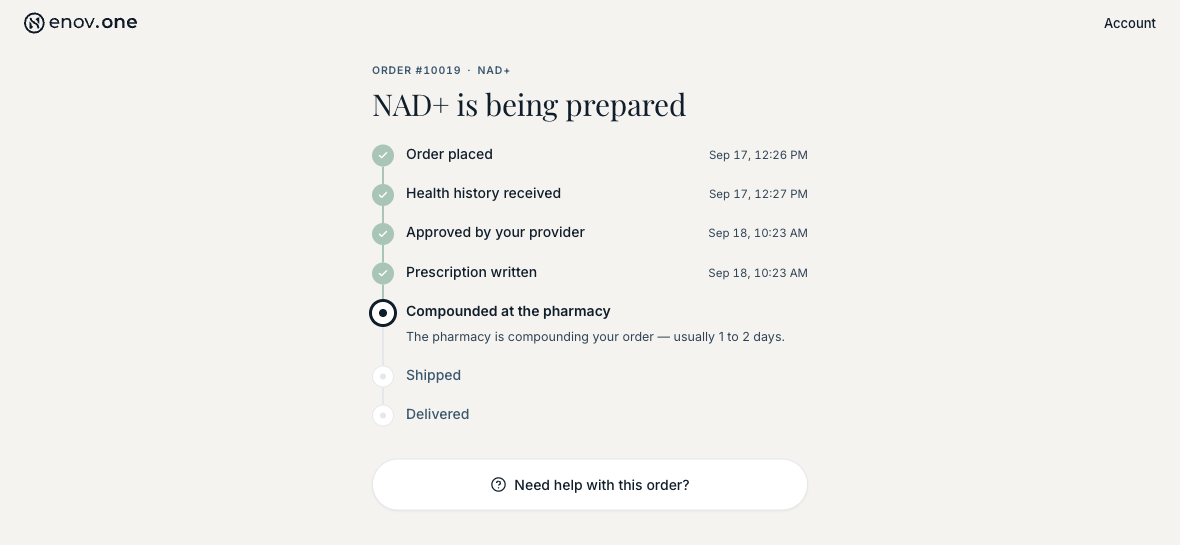
Tap Track order and you get the whole journey as a timeline, with the date of each step.
If something needs you, the card says so: “Action needed” with “Complete your health history” means your prescription cannot go to the pharmacy until those questions are answered.
Lab orders sit on the same page under Lab orders, with their own Track lab order link — that is where the next step for your draw lives.
“Need help with this order?” at the bottom of the tracking page emails our team about that specific order.
Changed your mind about an order?
On a OneSupplement order in My Orders, or on a lab order’s tracking page, tap Request a change or Request cancellation. If we haven’t started on it yet, we cancel it for you right away and the order says so. If it’s already in progress, the order shows “Change requested” (or “Cancellation requested”) and your care team reaches out. Tapped it by mistake? Withdraw request undoes it. These buttons don’t appear on orders that have already been delivered or cancelled.
Managing a subscription
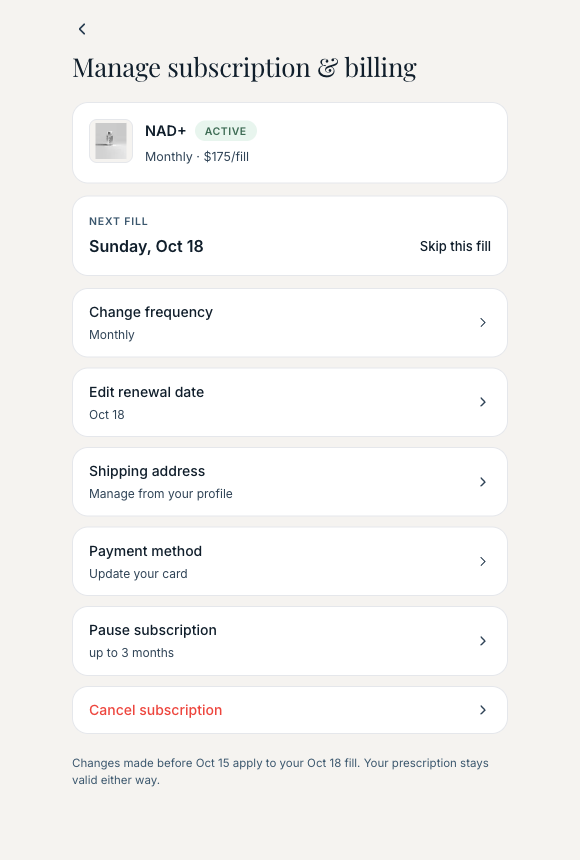
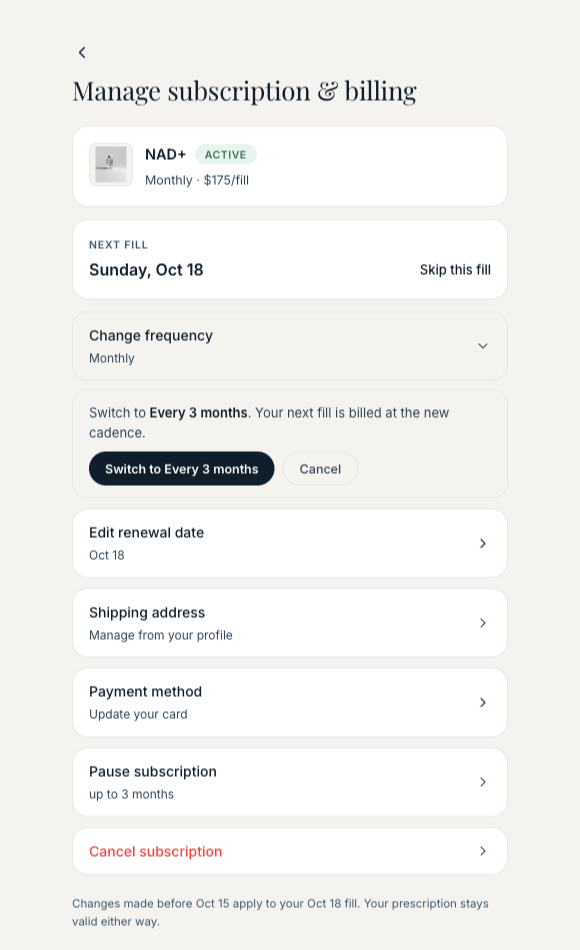
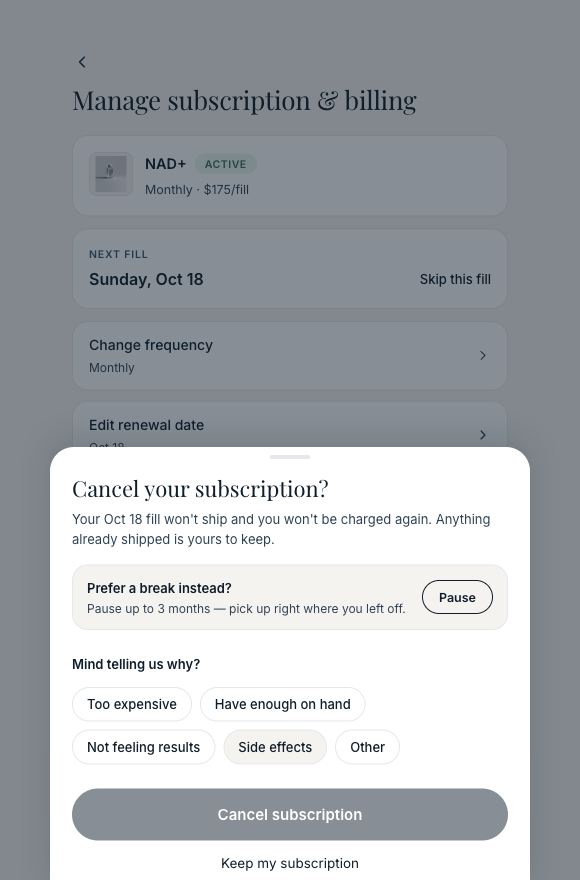
Tap your initial/avatar in the top-right corner and choose “Manage subscription & billing.” From there you can change the card you pay with, change how often it arrives, move the next renewal date, and pause or cancel it. Your shipping address is edited in Profile.
If you do not have a prescription subscription, the page tells you so and offers to start one.

If you do have one, the page shows the treatment, the price and the date of your next fill, with Skip this fill beside the date and every control underneath it.