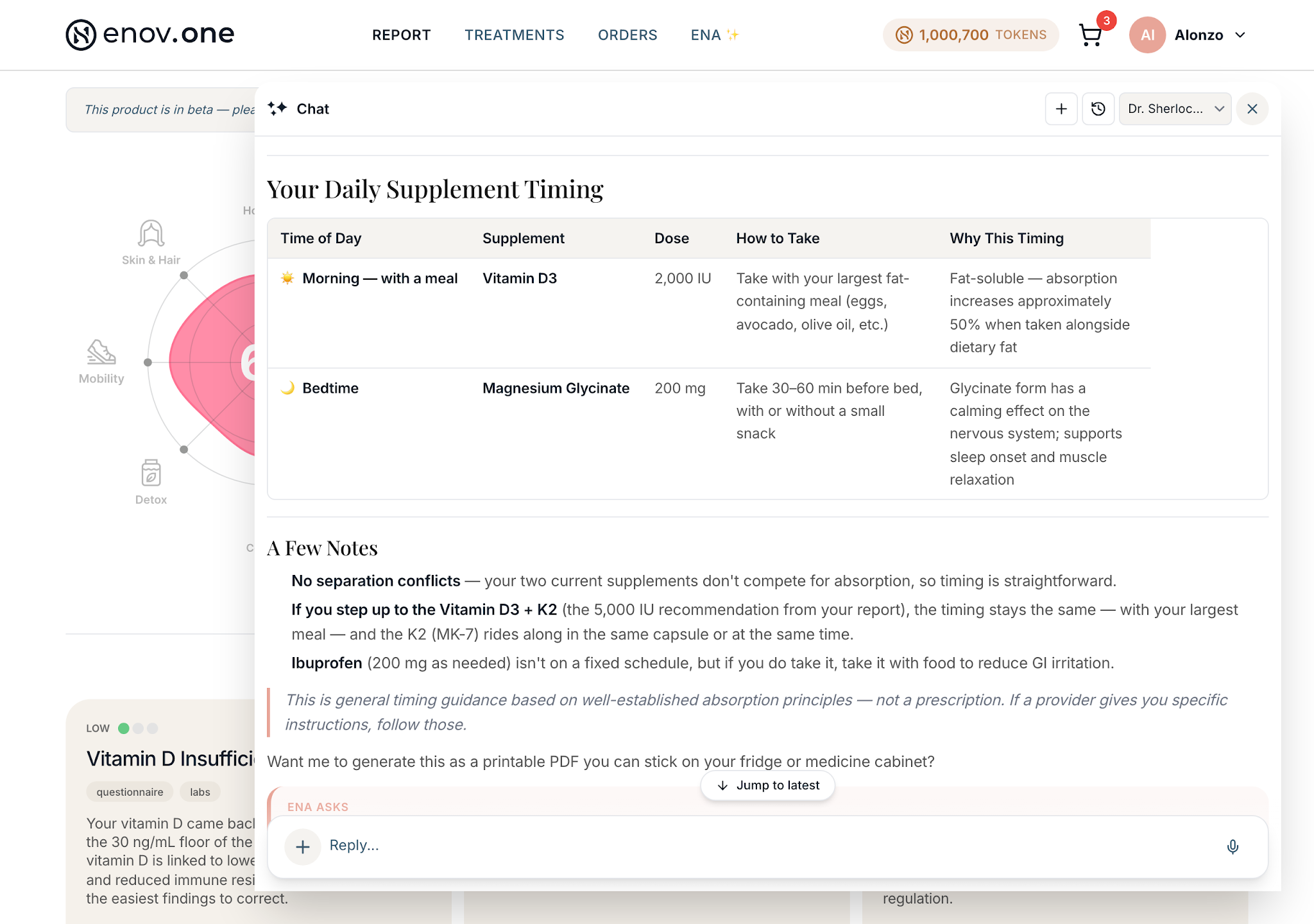
During your setup, you gave Ena details about what you currently take— your prescriptions, supplements and anything over-the-counter. Ena reads this list on every answer she gives, so she can flag interactions, avoid recommending something you’re already on, and tailor doses to what you’re actually doing.
Ena can also help with finding the best times/ways to take them all — timing, sequencing, what needs food, what to move to bedtime — which you handle just by asking Ena in plain language.
An out-of-date list is the most common reason an answer feels slightly off. Be sure to keep Ena up to date with any changes.
Keeping your list current – option #1
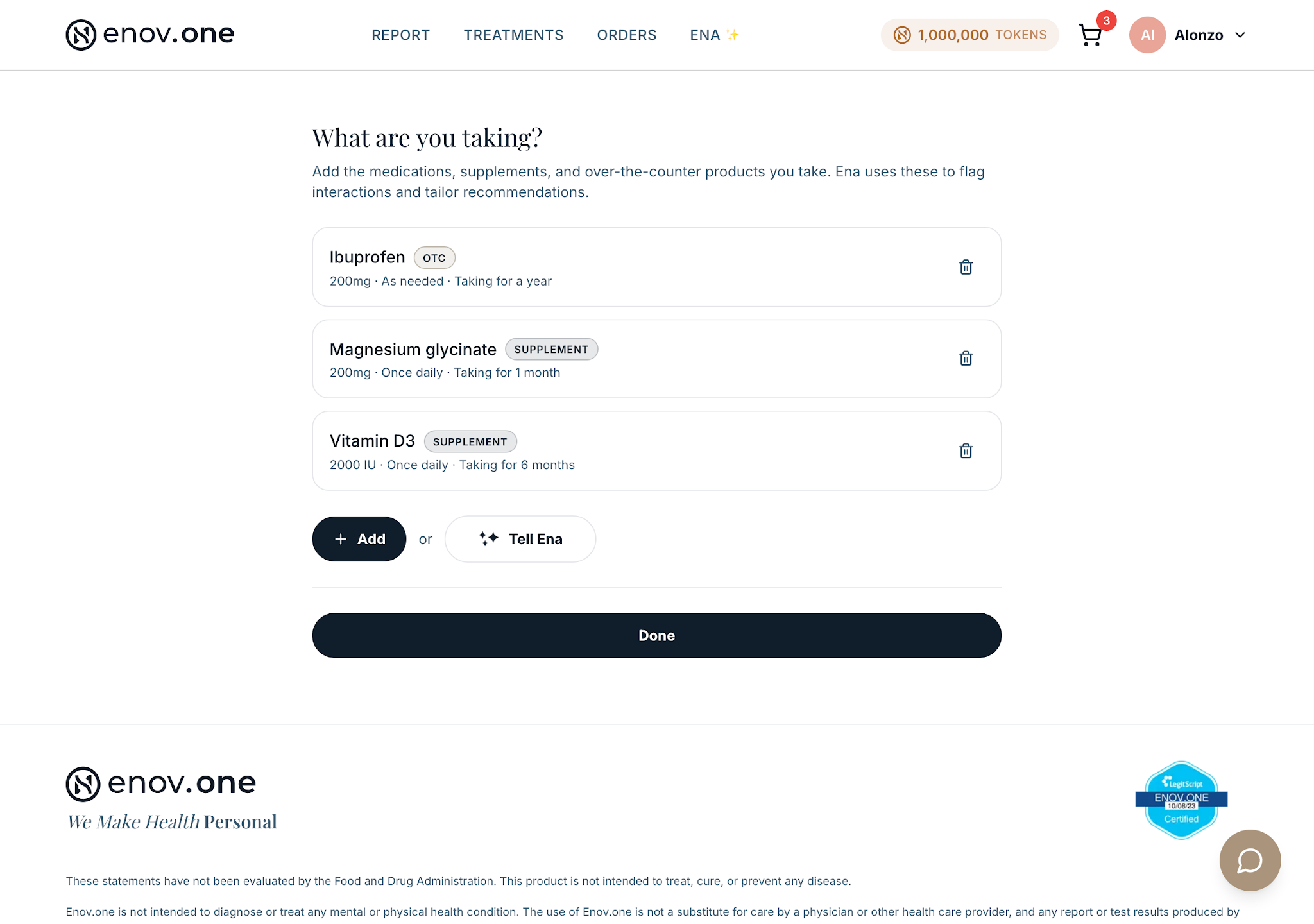
- Tap your initial/avatar in the top-right corner and choose “What I Take.”
- The page asks “What are you taking?” and lists everything you’ve added so far, each row tagged with its type.
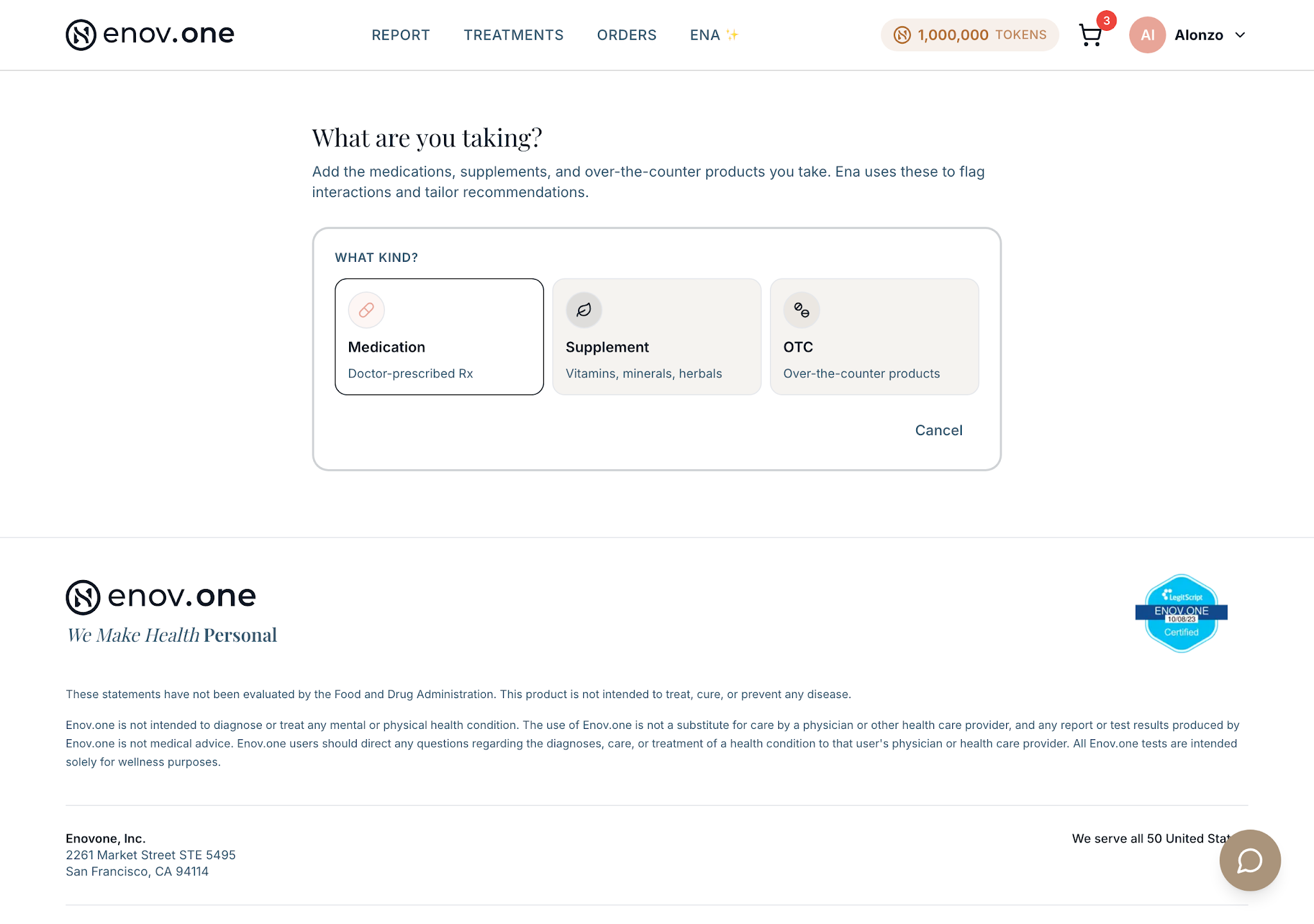
- Tap Add. First pick what kind of thing it is — medication, supplement, or over-the-counter.
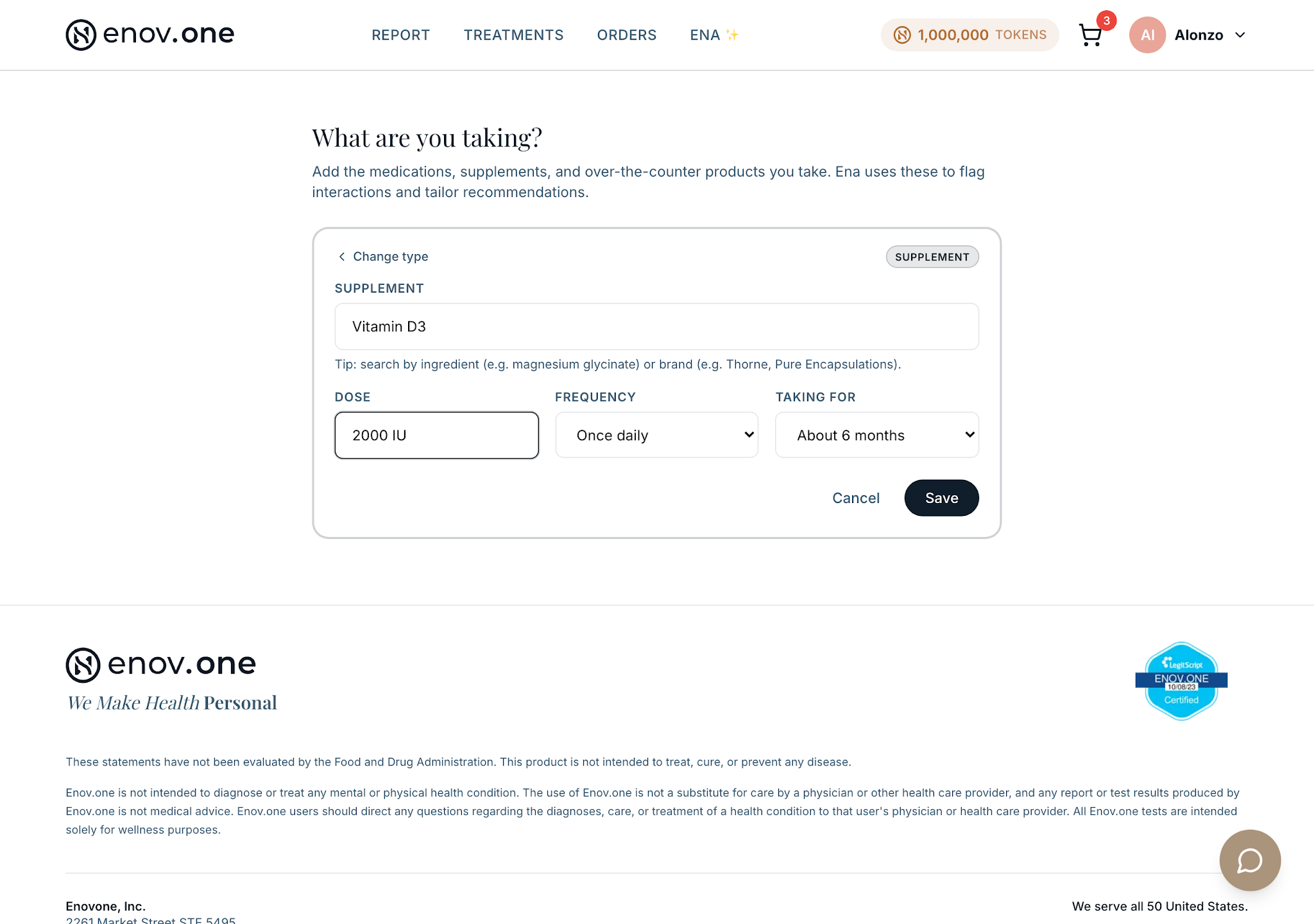
- Fill in the name, the dose (the field shows an example like “200mg”), and roughly how long you’ve been taking it. For a supplement, include its form if you know it — for example magnesium glycinate rather than just magnesium. Ena and your report no longer assume a form you didn’t give.
- Save, then repeat for anything else
Keeping your list current – option #2
- Open the chat and type into “Ask Ena anything…”
- Tell her about any changes in plain language. “I’m no longer taking potassium supplements…” or “I started a new prescription. I take 20mg daily at bedtime based on my doctor’s recommendation”
Get more help with your supplements and medications at any time. Ask her to lay it out: “show me my supplement schedule” or “build me a daily schedule for what I’m taking.”
You can adjust it in ordinary words — no forms: “move my magnesium to bedtime,” “which of these should I take with food?”
To pause something, say “put [item] on hold”; to start again, “reintroduce [item].” This happens in the conversation, so if you’ve stopped something for good, also remove it from “What I Take” so the record matches reality.