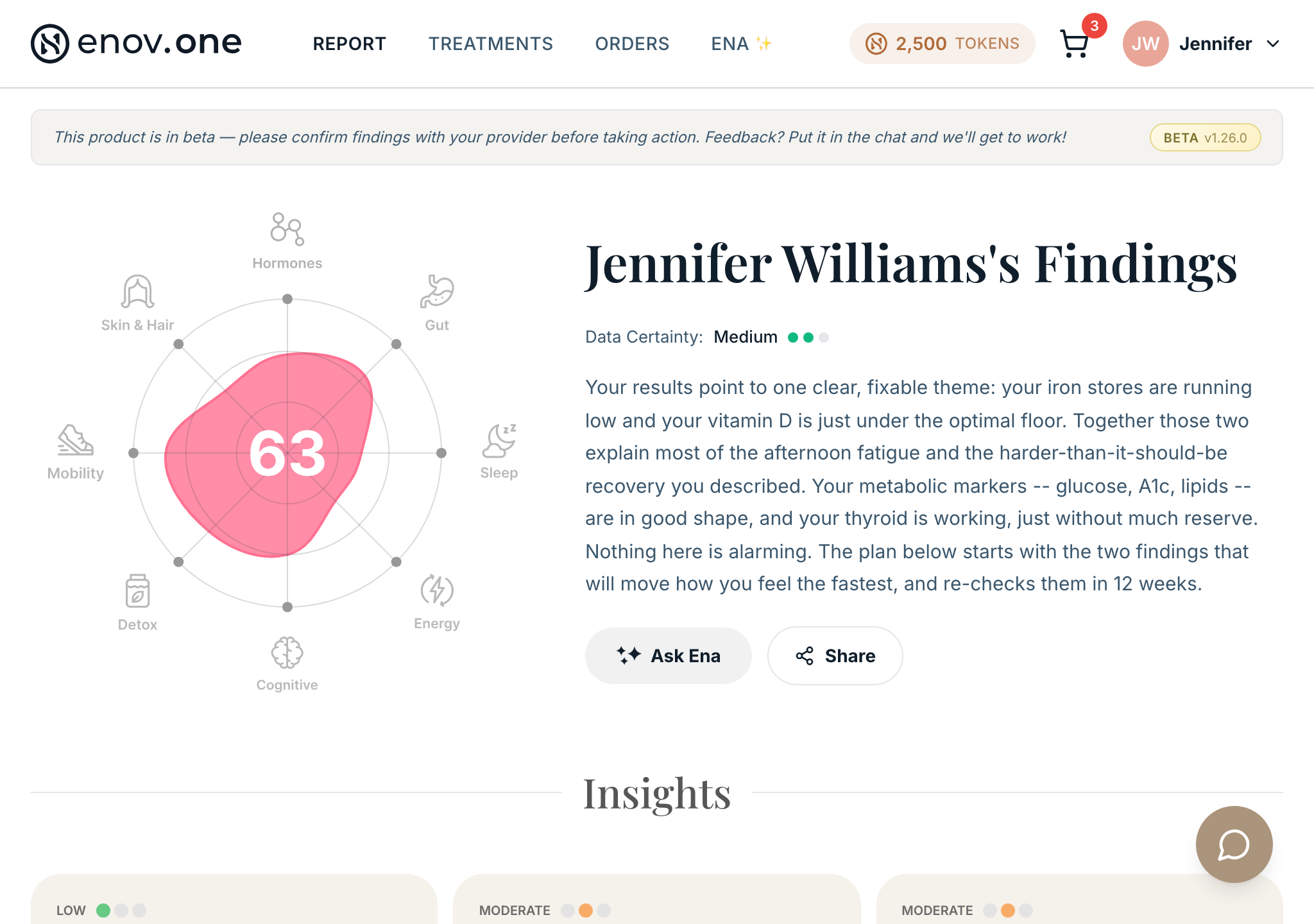
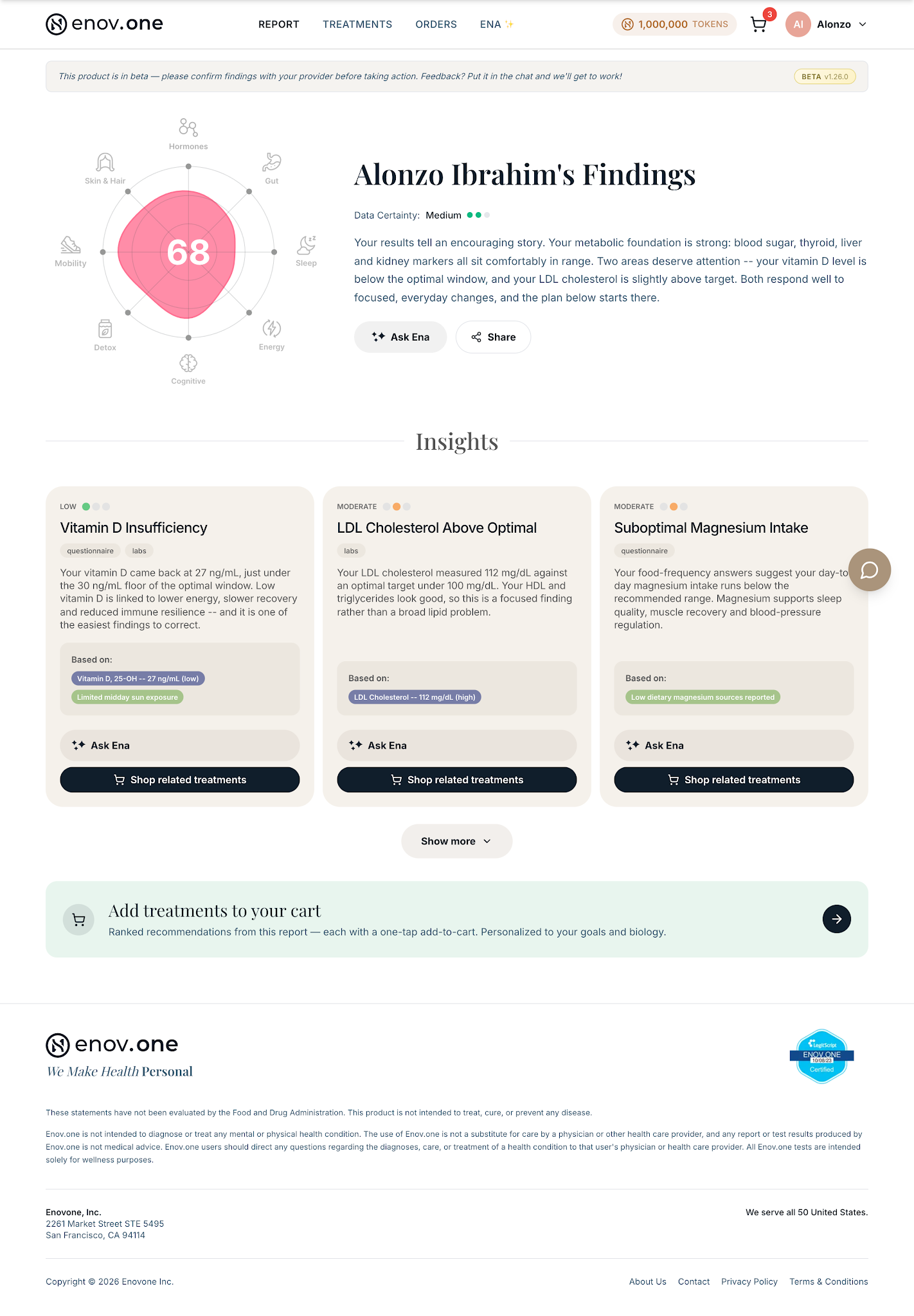
Your report is what Ena builds once she has enough of your data to analyze: what she found, what it appears to mean for you, and what she’d suggest doing about it. It’s the payoff for the setup steps, and it’s a living document — as you add more labs over time, new versions are generated and the old ones are kept.
How to read it
- Tap Report in the bottom navigation. (Before your report is ready this tab shows a small padlock — that’s expected, not an error. It unlocks when Ena has enough data.)
- Read top to bottom. It’s organised as your headline result, then Insights (what Ena found and what each finding means for you), Recommendations (what she’d suggest), and Your Treatments (the specific things you can act on).
- Don’t push through anything confusing — ask Ena from the same screen. Open the chat and ask “what does this mean for me?” The chat opens over the report so you don’t lose your place.
- For your doctor: ask “give me a summary of my key findings I can share with my doctor” and Ena produces a shareable PDF (it lands in Downloads — see section 1).
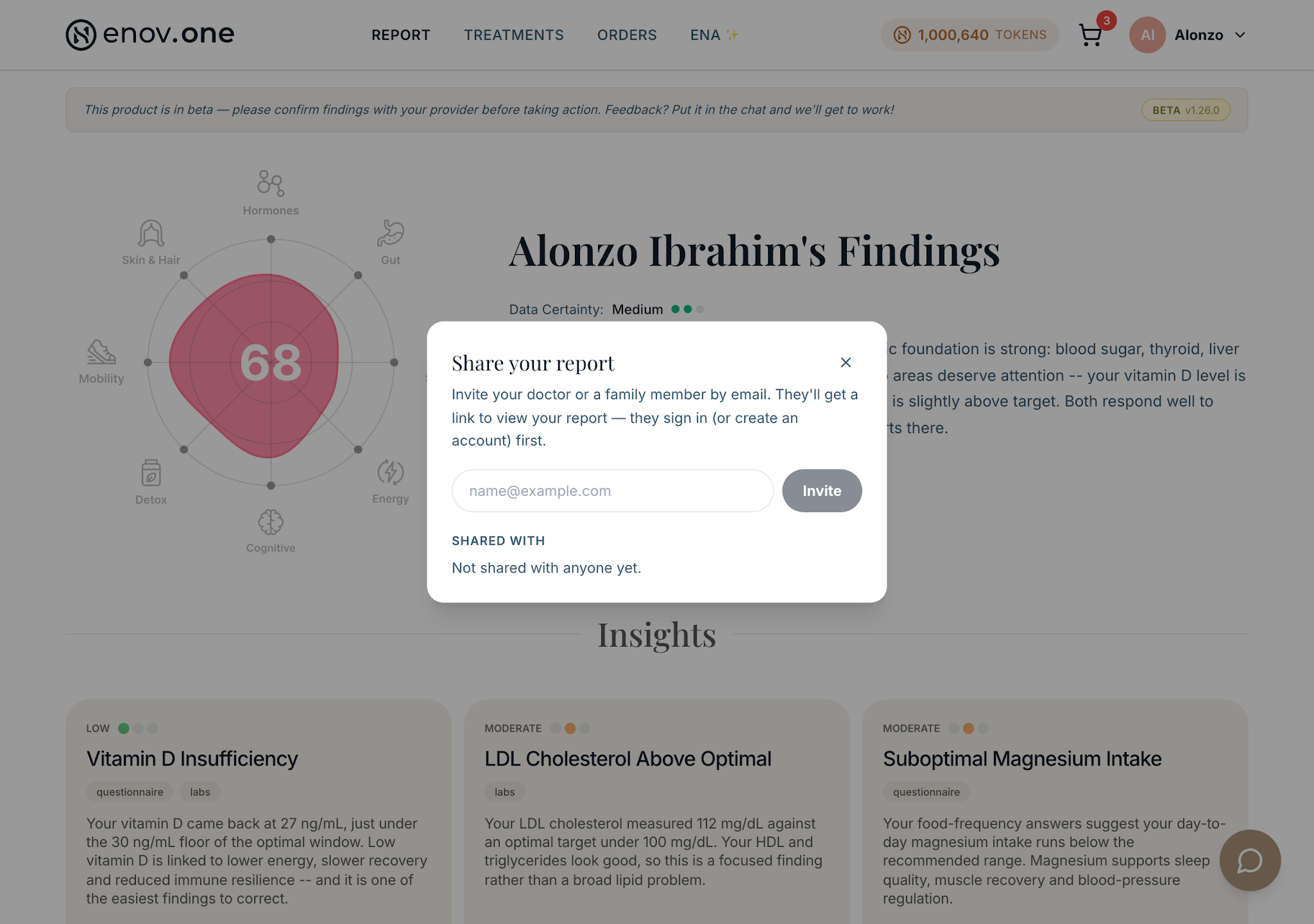
- To send the report itself to someone, use the Share button on the report page and enter their email. You can see who you’ve shared with, so nothing goes out silently.
- If you’ve uploaded new labs since, use the Version selector to compare against an earlier version and see what moved.
- If something on your report is wrong — for example, which supplement you take — tell Ena in the chat. She updates the affected parts of your report within a few minutes.